Technology News

Hyperscale Your Enterprise Business Applications with Microsoft Dataverse

Hyperscale Your Enterprise Business Applications with Microsoft Dataverse

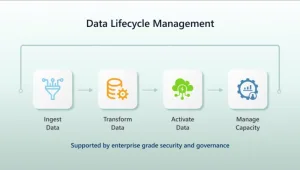
Over the past three years, the annual growth rate of enterprise data within Fortune 500 companies has been remarkable, driven by an exponential increase in data generation and the strategic imperative to leverage data analytics. The volume of data continues to grow as enterprises build and deploy new applications within their organizations. IDC has predicted

The post Hyperscale Your Enterprise Business Applications with Microsoft Dataverse appeared first on Microsoft Power Platform Blog.

Hyperscale Your Enterprise Business Applications with Microsoft Dataverse Read More »
Use Copilot to quickly filter, sort, and search canvas app galleries with SQL Server

Use Copilot to quickly filter, sort, and search canvas app galleries with SQL Server

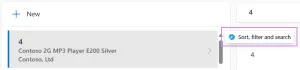
We are excited to announce that Power Apps application runtime users can now use Copilot to quickly filter, sort, and search the items in canvas app galleries with SQL Server. This feature is in addition to the previously released capability to filter SharePoint canvas galleries. Copilot uses your natural language to generate a query to

The post Use Copilot to quickly filter, sort, and search canvas app galleries with SQL Server appeared first on Microsoft Power Platform Blog.

Use Copilot to quickly filter, sort, and search canvas app galleries with SQL Server Read More »

What’s new in Power Apps: September 2024 Feature Update

What’s new in Power Apps: September 2024 Feature Update

AI-powered Development This month on Power Apps Pulse! This month we’re excited to share improvements to Modern Theming, a new responsive template to create a list and details screen with lightning speed, a way to choose a data source for multiple controls on a screen with one click, and a new way to open existing

The post What’s new in Power Apps: September 2024 Feature Update appeared first on Microsoft Power Platform Blog.

What’s new in Power Apps: September 2024 Feature Update Read More »

By Popular Demand: Dark mode is now available in Power BI Desktop!

We are excited to announce a new feature in Power BI Desktop that allows you to choose from a variety of themes, including the most requested Dark Mode! Whether you’re working late into the night or simply prefer a darker interface, Dark Mode provides a sleek, modern look that reduces eye strain and enhances focus.

By Popular Demand: Dark mode is now available in Power BI Desktop! Read More »

Power BI September 2024 Feature Summary

Welcome to the September 2024 update!
We have a lot of exciting updates to share with you this month as well as a new feature you’ve been waiting for.

You can now choose from a variety of themes Power BI Desktop, including the most requested Dark Mode! You can personalize your data visualization experience to match your preferences and working environment. In addition, we’ve now consolidated similar options in the menu bar and streamlined the button text for better readability and responsive screen sizing.

Power BI September 2024 Feature Summary Read More »

Scroll to Top