Technology News

Announcing: Admin monitoring workspace is now available in these government cloud tenants (GCC, GCC High, DoD, USNAT/USSEC, and Mooncake)

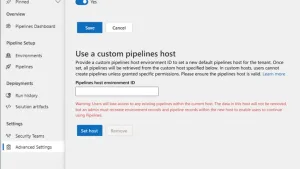
Power BI’s mission is to empower every individual, team, and organization to make confident decisions with data. With the increased focus on governance, compliance, and policy, customers need greater visibility into workflows and related activities. Tenant Administrators need out-of-box datasets and reports to understand tenant level adoption and deep dive on such details as active users and artifact activities. The Admin Monitoring Workspace delivers curated insights that help you better manage, administer and govern your tenant. This update provides the Admin Monitoring workspace in the US Government Cloud Tenants (GCC, GCC High, DoD).

Announcing: Admin monitoring workspace is now available in these government cloud tenants (GCC, GCC High, DoD, USNAT/USSEC, and Mooncake) Read More »

Unlocking autonomous agent capabilities with Microsoft Copilot Studio

Unlocking autonomous agent capabilities with Microsoft Copilot Studio

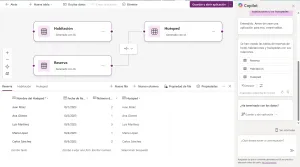
At our AI Tour in London, we’re excited to announce a new set of capabilities that enable you to build autonomous agents, which will be in public preview at Microsoft Ignite 2024. These agents understand the nature of your work and act on your behalf—providing support across business roles, teams, and functions.

The post Unlocking autonomous agent capabilities with Microsoft Copilot Studio appeared first on Microsoft Copilot Blog.

Unlocking autonomous agent capabilities with Microsoft Copilot Studio Read More »

Work and automate simultaneously with picture-in-picture in Power Automate

Work and automate simultaneously with picture-in-picture in Power Automate

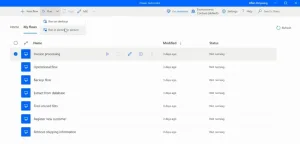
Picture-in-Picture in Power Automate for desktop lets you run attended desktop flows within a virtual window that mirrors your desktop. It allows multitasking, improves user experience, and increases productivity.

The post Work and automate simultaneously with picture-in-picture in Power Automate appeared first on Microsoft Power Platform Blog.

Work and automate simultaneously with picture-in-picture in Power Automate Read More »

82 new Power Platform connectors and 43 updates to elevate your automation journey

82 new Power Platform connectors and 43 updates to elevate your automation journey

We’re excited to introduce new and enhanced connectors to our existing Power Platform collection. Elevate your integrations to the next level as these connectors are available in Power Automate, Power Apps, and Azure Logic Apps and more.

The post 82 new Power Platform connectors and 43 updates to elevate your automation journey appeared first on Microsoft Power Platform Blog.

82 new Power Platform connectors and 43 updates to elevate your automation journey Read More »

Scroll to Top