Deep dive into TMDL view for Power BI Desktop (Preview)
Deep dive into TMDL view for Power BI Desktop (Preview) Read More »
Since the launch of Power Pages in 2022, we’ve seen rapid adoption, with an increasing number of customers running their mission-critical websites on the platform. Since becoming generally available, one consistent piece of feedback from our customers has been the need to streamline the monthly release process. Specifically, they’ve asked for more predictability and a
The post Streamlining Power Pages Monthly Releases with Predictable ALM-Aligned Updates appeared first on Microsoft Power Platform Blog.
Streamlining Power Pages Monthly Releases with Predictable ALM-Aligned Updates Read More »
Agents play a significant role in how organizations are transforming their business process with AI. Soon agents created in Microsoft Copilot Studio agent builder and Copilot Studio will be available right from within Copilot Chat.
The post Enabling agents in Microsoft 365 Copilot Chat appeared first on Microsoft Copilot Blog.
Thousands of enterprises now enjoy healthy, org-wide ALM with less effort. The new admin and maker Deployment pages (preview) are designed to help each persona navigate the process and follow best practices within a central hub!
The post Introducing Maker and Admin Deployment Pages appeared first on Microsoft Power Platform Blog.
Save to OneDrive and SharePoint: Updated File Picker (Preview) Read More »
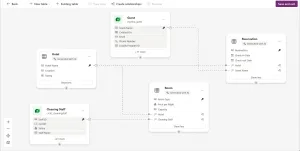
Data workspace, the ERD table designer empowered by Copilot, now supports using existing tables to build your data model.
The post Work with existing tables in data workspace appeared first on Microsoft Power Platform Blog.
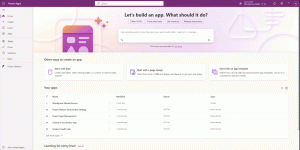
Microsoft Power Apps announces public preview of feature that allows customizing of in-app chat leveraging custom agent and Microsoft Copilot Studio.
The post Unlock new possibilities by customizing Copilot chat in your apps with Copilot Studio (Preview) appeared first on Microsoft Power Platform Blog.
Get ready to elevate your data analysis experience! We’re thrilled to announce a series of powerful new features designed to make exploring your data easier and more intuitive than ever. With the addition of the “Explore this data” option in the visual options menu, diving into your datasets is a breeze. Plus, our Treemap visual now boasts three innovative tiling methods for enhanced visualization.
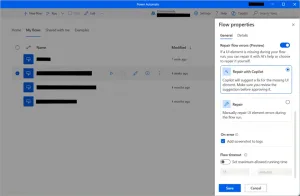
Power Automate for desktop comes with new great additions in 2024 December’s release, including the introduction of the ability to repair flow automation errors, as well as the introduction of the long waited dark mode, both in preview!
The post December 2024 update of Power Automate for desktop appeared first on Microsoft Power Platform Blog.
December 2024 update of Power Automate for desktop Read More »