admin

Improve Power Pages security by activating Web Application Firewall independently

Improve Power Pages security by activating Web Application Firewall independently

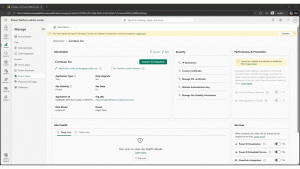
We are introducing two important enhancements to Web Application Firewall (WAF) in Microsoft Power Pages that make it easier to protect your sites and ensure production environments start secure by default.

The post Improve Power Pages security by activating Web Application Firewall independently appeared first on Microsoft Power Platform Blog.

Improve Power Pages security by activating Web Application Firewall independently Read More »
New quality updates to modern controls in canvas apps

This release delivers quality and reliability improvements across nine modern controls in canvas apps, including Combo Box, Text Input, and Date Picker. Focused on real‑world performance, consistent behavior, and production readiness, these updates strengthen the foundation makers rely on as canvas apps evolve alongside AI.

The post New quality updates to modern controls in canvas apps appeared first on Microsoft Power Platform Blog.

New quality updates to modern controls in canvas apps Read More »

Build Power Pages sites with AI using agentic coding tools (preview)

Build Power Pages sites with AI using agentic coding tools (preview)

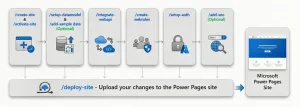
We’re pleased to introduce the public preview of the Power Pages plugin for GitHub Copilot CLI and Claude Code. With this plugin, you simply describe the site you want in natural language. The plugin takes care of everything else, from project scaffolding and Dataverse setup to API integrations, permissions, and deployment.

The post Build Power Pages sites with AI using agentic coding tools (preview) appeared first on Microsoft Power Platform Blog.

Build Power Pages sites with AI using agentic coding tools (preview) Read More »

Input slicer: Filter reports and collect user input (Generally Available)

Previously known as the “text slicer” while in preview, this visual lets you type or paste values directly into a slicer to filter your report—no scrolling or searching through long lists required. What you can do with the input slicer Report consumers can quickly filter the report to what they are looking for using the …

Input slicer: Filter reports and collect user input (Generally Available) Read More »

Power BI February 2026 Feature Summary

Welcome to the February Power BI update! Power BI’s February 2026 update is here, and it’s a good one. This release brings smarter Copilot and AI experiences, more flexible ways to interact with reports, polished visuals, and useful modeling enhancements—plus a few important updates to keep in mind. With FabCon right around the corner, it’s …

Power BI February 2026 Feature Summary Read More »

More choice, more flexibility: xAI Grok 4.1 Fast now available in Microsoft Copilot Studio

More choice, more flexibility: xAI Grok 4.1 Fast now available in Microsoft Copilot Studio

xAI models are now available in Copilot Studio, expanding your multi‑model lineup with a new option for fast reasoning and flexible agent design.

The post More choice, more flexibility: xAI Grok 4.1 Fast now available in Microsoft Copilot Studio appeared first on Microsoft Copilot Blog.

More choice, more flexibility: xAI Grok 4.1 Fast now available in Microsoft Copilot Studio Read More »

What’s new in Power Platform: February 2026 feature update

What’s new in Power Platform: February 2026 feature update

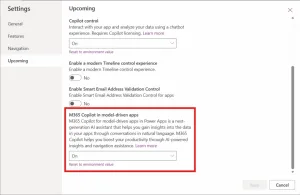
Apps, agents and Copilot Public preview: M365 Copilot chat in model-driven apps Copilot chat is now available directly inside apps built with Power Apps, bringing the intelligence of Microsoft 365 Copilot into the flow of business processes.

The post What’s new in Power Platform: February 2026 feature update appeared first on Microsoft Power Platform Blog.

What’s new in Power Platform: February 2026 feature update Read More »

Public preview: Power Apps MCP and enhanced agent feed for your business applications

Public preview: Power Apps MCP and enhanced agent feed for your business applications

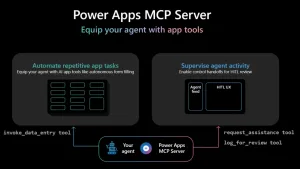
The Power Apps MCP Server (Public Preview) introduces a new era of human‑agent collaboration, enabling AI agents to automate repetitive app tasks with built‑in human oversight.
Makers gain granular control over which tasks surface in the redesigned agent feed, while users get intuitive review and approval experiences.

The post Public preview: Power Apps MCP and enhanced agent feed for your business applications appeared first on Microsoft Power Platform Blog.

Public preview: Power Apps MCP and enhanced agent feed for your business applications Read More »

Scroll to Top